English (UK)
  Magyar
  Deutsch
 iOS, Android, OS versions, devices: mobile testing quickly becomes complex. We show when automation pays off — and how to implement it effectively.
TL;DR
- In mobile testing, the number of device, version and configuration combinations multiplies quickly.
- Well-targeted automation can deliver substantial ROI for mobile apps compared to manual testing, which can quickly become costly and time-consuming.
- Automation starts to pay off when tests are repeated frequently, especially in regression testing and multi-device test execution.
- The key to sustainable long-term automation is a well-structured test architecture that can be reused across platforms.
- Mobile automation is worth introducing even for an existing application, but the earlier testability is taken into account, the lower the future cost and risk will be.
- The key to an optimal infrastructure is the deliberate selection and, where necessary, combination of emulators, physical devices and cloud-based device farms.
Table of Contents
Mobile Testing for iOS and Android: How 2 Platforms Ultimately Turn Into 20
When development of a new mobile application begins, it is usually decided at a very early stage that it will be built for both iOS and Android. At that point, the team already has to account for significant additional cost: the characteristics of two platforms must be taken into consideration, including different UI behaviours, different system capabilities, permission handling, and various technical constraints. The real cost increase, however, often appears later, because the application not only has to be developed, but also continuously verified - in other words, tested.
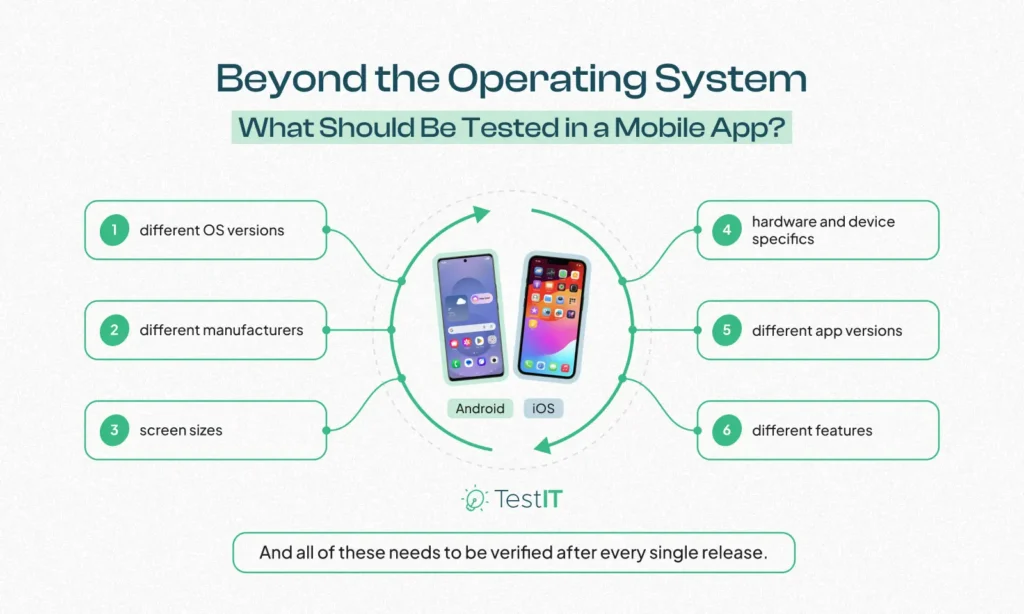
On paper, we still have only two platforms. In practice, however, no two iPhones necessarily behave in exactly the same way, and Android is not a single, clearly defined environment either. Different operating system versions, different manufacturers, screen sizes, hardware profiles, and device-specific characteristics all come into play. On top of that, there are different application versions and, of course, the features themselves, all of which must be revalidated after every release.
After a while, the real question is no longer whether the application works on iOS and Android in general, but whether it works on the actual combinations of devices and operating systems our users really use.
If, for example, we have 100 critical business processes and want to validate them across 10 relevant device or operating system configurations, we are already looking at 1,000 test executions. And this is not something that needs to be done only once, but with every major release. All of this significantly increases the time required for manual testing.
When Manual Testing on Mobile Devices Becomes Too Time-Consuming
This is typically when we start making compromises:
- We do not test on every device, only on the most important ones.
- We do not run the full regression suite, only part of it.
- We prioritise based on risk analysis.
From a professional perspective, it is entirely reasonable not to test every possible scenario exhaustively. The problem arises when this happens solely to save time. If something is left unchecked for that reason, we are not actually optimising testing - we are reducing coverage. And that is exactly the point at which test automation becomes truly interesting.
Automated Tests Can Deliver Significant Returns for Mobile Apps
Automated testing is often seen as a faster version of manual testing: what used to be done by a person is now handled by a script. That is partly true, but in the case of mobile applications, automation offers benefits far more important than speed alone.
A well-designed automated test is not something we run only once. The same test can be executed on multiple devices, across multiple operating system versions and multiple application versions, and with the right infrastructure, all of this can even happen in parallel. A test created once therefore continues to generate value every time it is executed again.
This is an important distinction, because creating an automated test naturally requires more effort than performing a single manual execution. If a test is intended to be run only once, automation probably does not make much sense. But if we want to verify the same process in every release, across multiple platforms and devices, the equation changes very quickly.
That is why automation does not pay off on the first execution, but on the 20th, the 50th, or the 100th.

The ROI of Test Automation: When Is It Worth It and How Do You Calculate It?
The ROI of test automation is a crucial factor for companies. Discover the key aspects that impact the return on investment, when automation truly pays off, and how to avoid the most frequent pitfalls that often…
When Can a Mobile Application Be Effectively Automated?
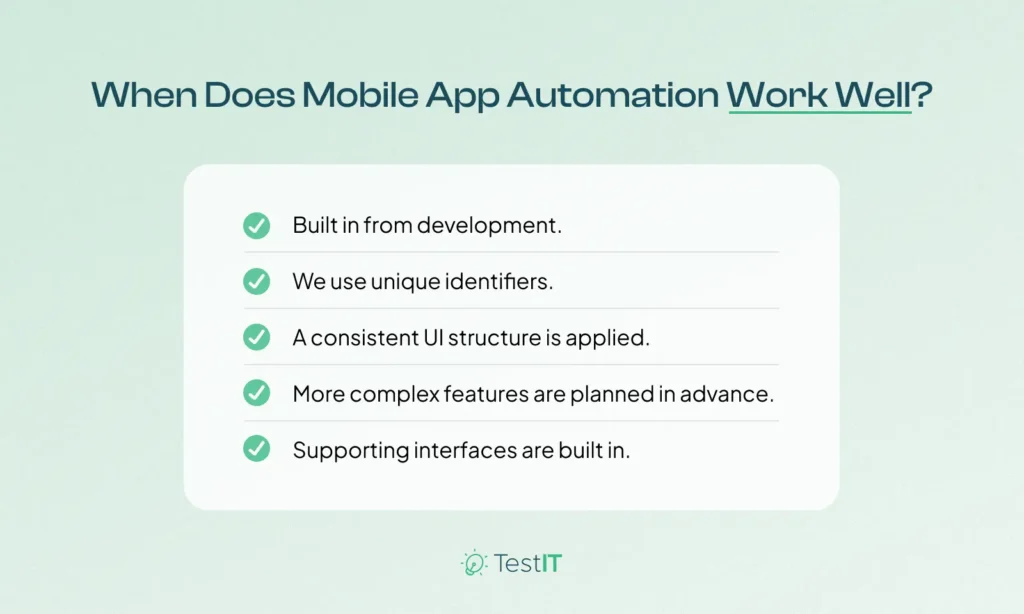
Good automation starts long before the tests themselves. There is, however, one prerequisite: the application must be automatable.
What Are the Prerequisites?
1. Testability Is Considered Already During the Development Phase.
This may sound trivial, but in practice many later issues are already determined during the design and development phase.
2. Unique Identifiers Are Used.
A mobile application can be built in a way that provides test automation with a stable, clearly identifiable, and predictable interface, or it can be built in a way that requires half a day of test maintenance after every minor UI change.
Let us take a very simple example: if a button is given a stable, unique identifier, the automated test will always find the same element. Without such an identifier, the test may start relying on text, hierarchy, or other visual characteristics. That works only until someone changes the button label, switches the language, or rearranges the screen. For a single test, this is a minor issue; for hundreds or thousands of tests, it becomes a serious maintenance cost.
3. A Consistent UI Structure Is Applied.
It is equally important that the logical structure of the iOS and Android applications should not diverge unnecessarily wherever possible. Not every pixel has to be identical, and the native UX conventions of the two platforms should of course not be ignored, but if the same business process is implemented through two completely different structures, the automation layer will also require far more platform-specific logic.
4. More Complex Features Are Planned in Advance.
Push notifications, deep links, biometric features, interactions with external applications, and various permission prompts are also areas where testability can gain or lose a great deal already during the design phase.
5. Supporting Interfaces Are Built In.
A technical interface designed to support testing can also prevent a great many automation issues.
The good news is that most of these decisions do not involve any particularly significant additional development effort.
What If Automation Was Not Part of the Design?
Many automation projects do not start with a newly launched application. Usually, there is already a working product, several releases behind it, certain technical compromises have already evolved, and only later does the need arise to automate part of regression testing. In such cases, the task is to make the existing application automatable with an acceptable level of effort.
Fortunately, this usually does not require a complete redesign. Modern mobile automation frameworks can handle many issues on their own, and developer support is often needed only in a few critical areas. Typical examples include establishing stable accessibility IDs, making notification flows testable, or enabling simpler control of certain environment-dependent behaviours.
Today, AI-based developer tools can also help with this. Their primary role is to support developers in preparing apps for easy automation. This reduces the amount of effort required on their side, although it is important that testers work closely with developers in every case to determine which areas require changes. Testers are responsible for identifying and consolidating the required changes, while developers are responsible for implementing them within the existing framework.
What Should We Use for Mobile Test Automation?
Tool selection is a frequent topic in mobile test automation. Appium, native frameworks, various cross-platform solutions, and different execution and integration options all come up in this context. Technical considerations are, of course, important, but the tool itself rarely determines the success of an automation project on its own.
One specific and commonly effective technology stack, for example, is the combination of Appium, WebdriverIO, and TypeScript. This stack can be integrated into a framework together with Playwright-based web UI and API tests, which significantly supports the development of end-to-end automated tests where needed. Appium can drive both iOS and Android applications, WebdriverIO provides a robust framework for organising and running tests, and TypeScript supports larger test codebases through type safety and a well-structured development environment.
However, this is only one possible technology choice. To make the right decision, it is necessary to consider the team’s experience, the existing development stack, the CI/CD environment, the technical architecture of the application, and, of course, the long-term automation strategy we want to establish.
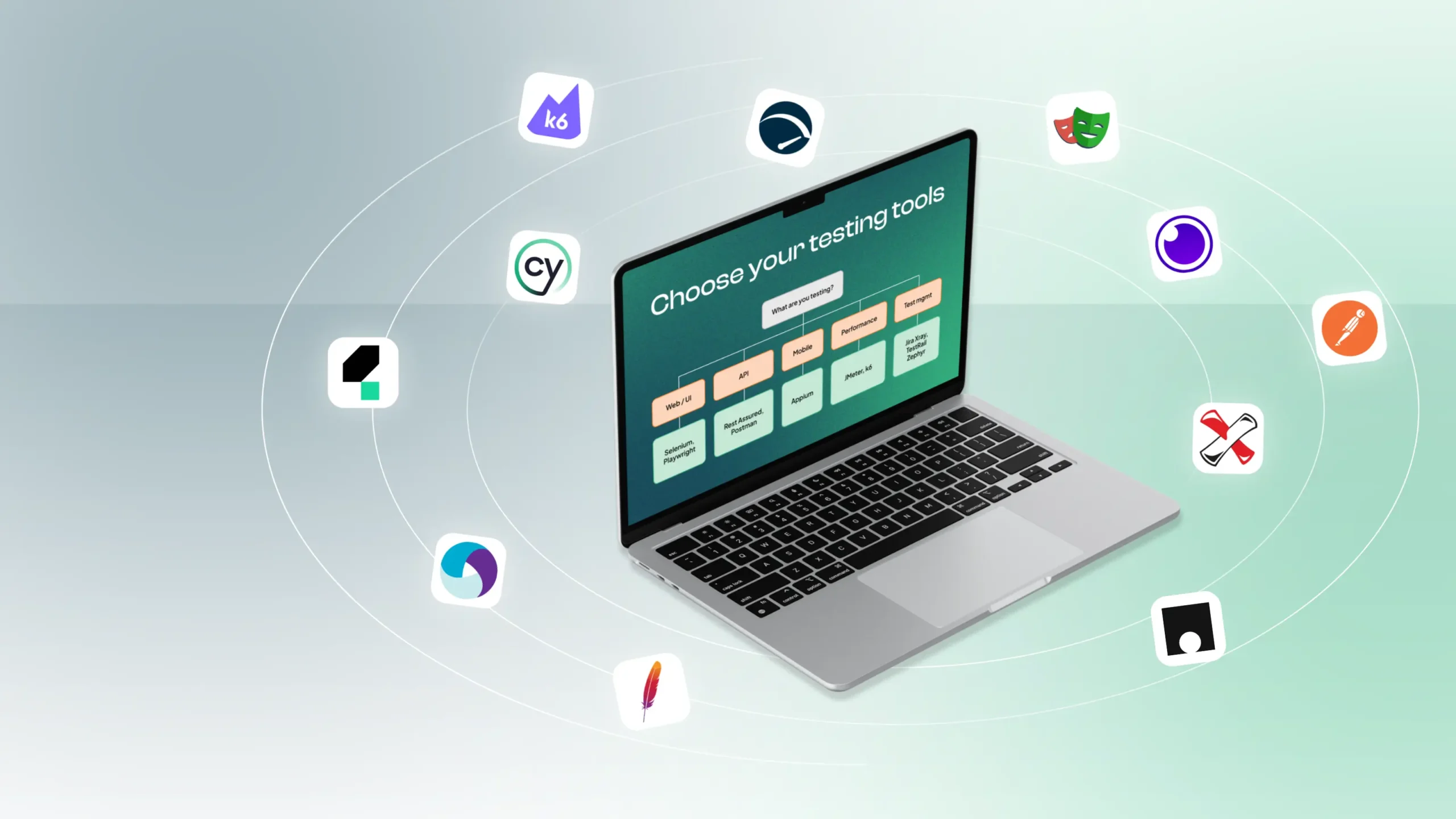
Software Testing Tools in Practice – What Should Drive the Selection?
Selenium, Playwright, Appium, JMeter or k6? A practical guide to choosing sustainable testing tools for SMB and enterprise environments.
A far more important question than that is how we design the test system itself.
1 Application, 2 Platforms: Ideally, Not Two Full Test Codebases
The most obvious solution would, of course, be to write one test suite for Android and then another for iOS. A few months later, it becomes clear that every business change has to be modified in two separate test codebases.
In a better architecture, the business logic is handled as a single layer wherever possible, and only what is genuinely platform-specific is separated. For example, the test itself can simply say that the user should log in, open their profile, and change the language setting:
await loginPage.login(user);
await homePage.openProfile();
await profilePage.changeLanguage(„English”);
From the test’s perspective, it is irrelevant which locator is used to identify a given button on iOS or exactly where it is positioned in the UI hierarchy on Android. That should be handled by the platform-specific layer.
The advantage of this approach is not only that we write less code. More importantly, when a business process changes, we can update it in one place. Platform differences do not leak into every individual test case, so the system becomes significantly easier to maintain over the long term.
This is where the classic automation design patterns really come into play: page or screen objects, shared business layers, platform adapters, test data management, and configuration abstractions.
Once We Already Have 500 Tests, a New Problem Emerges
Let us assume the framework is in place, the application is properly testable, and over time we have built up 500 automated test cases. At 1.5 minutes each, sequential execution would take more than 12 hours. In other words, we have successfully automated a regression suite whose results arrive only the next morning. Technically, it works, but in a fast-paced development process it is not particularly useful. This is the point at which parallelisation becomes a fundamental part of the automation strategy.
If we run the same 500 tests in parallel on 10 devices, execution time can be reduced by roughly an order of magnitude. If we have 20 or 30 parallel sessions, feedback time can be reduced even further. The sooner the development team receives the test results, the sooner it can react to a defect. A feedback loop of a few minutes or half an hour still belongs to the same development context. Test results arriving the next morning much less so. This immediately raises the next question: where should that many tests run?
What Should We Choose for Mobile App Testing: Emulator, In-House Device Lab, or Cloud Device Farm?
This depends on several factors, because each of the three options is well suited to a different problem. Before choosing a provider, it is worth examining the following aspects:
- How predictable are the costs, and how high are they?
- What level of maintenance and operational effort do they require?
- How faithfully do they reproduce the target platform?
- How well can they be integrated into CI/CD?
Here is a summary of what is worth knowing about the above.
Mobile Testing Infrastructures: Pros and Cons - Emulator, In-House Devices, or Cloud Farm
| Criterion | Emulator / Simulator | In-House Device Lab | Cloud Device Farm |
| Costs | - Low and predictable - Low hardware cost | - High hidden costs (procurement, depreciation, lost engineering hours) | - Higher fixed licence fees or usage-based pricing |
| Maintenance and Operations | - Minimal - Can be managed in software in an automated way | - Very high (charging, updates, physical storage, resolution of network issues) | - None (everything is operated and updated by the provider) |
| Platform Fidelity | - Medium/Low - Does not reveal hardware-related and manufacturer-specific defects | - Maximum - Real hardware environment and physical behaviour | - Maximum - A wide range of real physical devices and operating systems |
| Scalability and CI/CD Integration | - Excellent - Can be started quickly and parallelised at any scale | - Limited - The number of physical devices and their instability can become a bottleneck | - Excellent - Extremely fast feedback due to high parallelisation |
| Overall, When Is It the Best Choice? | - For fast testing during development - For early regression cycles | - For continuous testing on a few strategically important devices | - For broad compatibility testing - For covering less common devices |
Emulators and Simulators
Emulators and simulators can be started quickly, scaled easily, and may be entirely sufficient for a large proportion of tests. They are particularly useful during development and in early regression cycles, as many instances can be run cost-effectively and flexibly. At the same time, however, they cannot realistically reproduce every issue.
Certain hardware-related and device-specific features (such as the camera, biometric authentication, certain sensors, NFC, or Bluetooth) can only be tested in an emulated environment to a limited extent, in a simulated manner, or not in the same way as on a real device at all. The same applies to certain manufacturer-specific characteristics, performance issues, and system integrations, all of which still require physical devices for reliable validation.
In-House Device Labs
These gaps can be covered with our own pool of physical devices. Maintaining a few strategically important devices is entirely reasonable in many projects. The difficulties begin when five phones turn into 20 or 30. They have to be purchased, stored, charged, updated, configured, and kept continuously available in the CI/CD pipeline. Unfortunately, a mobile phone is not aware that it is part of a critical CI infrastructure, so sometimes it simply decides that after an update it will no longer connect the way it did yesterday. Beyond a certain scale, an in-house device lab therefore becomes a separate infrastructure that must be operated in its own right.
Cloud Device Farms
The third option is a cloud device farm, such as BrowserStack, TestMU.AI (formerly LambdaTest), or Sauce Labs. In this model, the provider supplies the physical devices and a significant part of the infrastructure, while tests can be executed across multiple devices, even with high levels of parallelisation. This naturally comes with licence costs, which is why the question often arises: is it cheaper to buy our own phones? To answer that accurately, all costs must be taken into account. If we spread the purchase price of a phone over the months of its planned service life, we can compare it with the monthly licence fee of a cloud service, but that alone still does not show the full cost.
In the case of an in-house device pool, the total cost includes device procurement, depreciation, replacement, infrastructure, operations, OS update management, defect handling, and, of course, the engineering time all of this consumes. In the case of a cloud device farm, the cost typically consists of the licence, the required level of parallelisation, and, in some cases, usage volume.
When calculating ROI, the value of faster feedback is also an important factor. By parallelising tests, lead time can be reduced significantly, so developers learn about defects earlier and the release process can also be accelerated. However, parallelisation is not an advantage exclusive to cloud device farms; it can also be implemented with an in-house device lab and in virtualised environments.
The optimal infrastructure always depends on the testing requirements. For example, testing during development may take place on emulators and simulators, while regression tests may run on in-house physical devices or on a cloud device farm. The objective is not necessarily to combine different solutions, but to ensure the required coverage, execution capacity, and feedback time.
A suitable infrastructure, therefore, is one that is aligned with the required coverage, execution frequency, and feedback time.
Maintaining Large Automated Test Suites
If all of this works well, a new question arises: how do we maintain the hundreds or even thousands of tests we previously automated?
Meanwhile, the application continues to evolve. New screens appear, others are redesigned, and new devices and operating system versions enter the market. Test code, just like any other software, can also accumulate technical debt. If every minor UI change results in updates to dozens of tests, or if a new platform version makes every second run unstable, then part of the time initially saved gradually seeps back in as maintenance cost.
That is why, in a mature mobile automation system, it is worth placing strong emphasis on how to make automation more adaptable. How do we reduce the amount of platform-specific logic, how do we select execution environments, how do we handle different devices, and how do we respond to application changes with less manual intervention?
Where Should We Automate, and When Should We Stick to Manual Testing?
Manual testing still has a place in mobile application testing, because there are areas where human observation, exploratory testing, or business-oriented thinking can still deliver better results. Where the task is repetitive, well defined, and needs to be executed frequently, however, automation becomes the right choice. And in mobile applications, there is usually no shortage of such cases.
If we automate well, every subsequent run becomes cheaper after the initial investment. And perhaps this is the most important economic characteristic of mobile test automation: we do not necessarily save the most on the first test, but on the fact that the same work no longer has to be performed in exactly the same way for the hundredth time.
FAQ
1. How Can Maintenance Costs Be Reduced in Mobile Test Automation Across iOS and Android Platforms?
Maintenance costs typically increase rapidly when iOS and Android tests are built on separate logic and every change has to be tracked in multiple places. A more sustainable approach is to keep shared business processes within a unified test layer and separate only the platform-specific elements. This is further supported by the use of stable UI identifiers and by focusing automation on stable, high-business-value processes.
2. What Are the Business Benefits of Parallel Mobile Test Execution in Terms of Release Speed and Defect Detection?
Parallel execution significantly reduces feedback time, so a regression cycle that would otherwise take several hours can be shortened to minutes or a few tens of minutes. From a business perspective, this is important because the team can react to defects more quickly and there is less waiting in the release process. The faster the test result is available, the better automation supports frequent releases and predictable delivery.
3. What Criteria Should Be Considered When Selecting a Mobile App Testing Service Provider?
When selecting a mobile app testing service provider, it is worth looking beyond testing references and assessing how well the service fits the project’s operating model. Important factors include the required test coverage, execution frequency, and expected feedback time. In addition, it is worth considering the service model, device and infrastructure background, maintenance responsibility, CI/CD integrability, reporting, security and compliance aspects, professional references, and scalability as well.
Author: Győző Nagy, Test Automation Architect